

Redeem Without the App
You can exit a 3F position without the 3F app by calling the Facility directly — from Etherscan, a wallet that accepts raw calldata, or Foundry’s cast. Under the hood this is the withdrawal flow: you deposit your Position Manager shares into a Facility redemption intent, receive ERC-6909 LP tokens 1:1, and once the position has been unwound and the intent resolved you burn them to claim USDC.
The steps mirror Deposit Without the App with the two assets swapped. Read that page first for how to send the calls in each format; this page focuses on what differs for redemptions.
approve— let the Facility pull your Position Manager sharesdeposit— send the shares into the redemption intent- (wait for the intent to resolve)
claim— burn your LP tokens and receive USDC
Before You Start
Section titled “Before You Start”You need:
- A wallet that can sign transactions on Ethereum mainnet, holding the Position Manager shares you want to redeem and some ETH for gas.
- An allowed address. Position Manager shares can only move between addresses their TransferGuard allows. If your address is not onboarded,
depositreverts withTransferBlocked. - An intent ID confirmed by the 3F team — see step 1.
| Contract | Address |
|---|---|
| Facility | 0x4e013ca8fF612a58F53C822904cDD0eC538a4A4F |
| USDC | 0xA0b86991c6218b36c1d19D4a2e9Eb0cE3606eB48 |
| Position Managers | One per asset and leverage tier — see Deployments |
Fill In Your Values
Section titled “Fill In Your Values”Enter your values once and every call below is filled in for you, in all three formats.
Every call on this page updates as you type. Nothing you enter leaves your browser.
To redeem your whole position, read your exact share balance and use it as the amount:
Open balanceOf (#4) on the Position Manager's Read as Proxy tab, fill in the fields below and click Query.
| owner (address) | <your-address> |
|---|
| To | <position-manager> |
|---|---|
| Data | Fill in the Position Manager and your address above |
Read-only: send it as an eth_call, nothing is signed.
cast call <position-manager> \
  "balanceOf(address)(uint256)" <your-address> \
  --rpc-url "$ETH_RPC_URL"
1. Find an Open Redemption Intent
Section titled “1. Find an Open Redemption Intent”Redemptions go into a dedicated intent whose deposit asset is the Position Manager you hold. There is usually one open redemption intent per Position Manager.
- Ask the 3F team for the intent ID to use, or
- Use the 3F LP API.
GET https://lp.3f.xyz/v1/intents/{asset}?state=created&vault=<position manager address>lists the open intents for that Position Manager. Keep the item with"type": "withdraw"; the intent ID isonChainId. The{asset}slugs are listed on the deposit guide, and the full API reference is at lp.3f.xyz/docs.
2. Verify the Intent
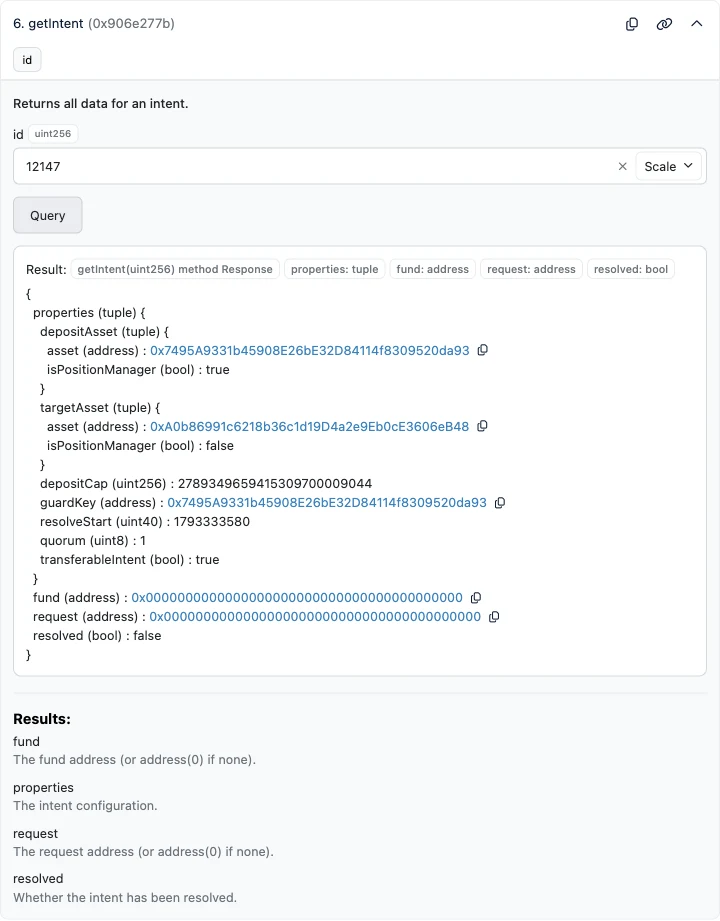
Section titled “2. Verify the Intent”Read the intent’s configuration with getIntent:
Open getIntent (#6) on the Facility's Read as Proxy tab, fill in the fields below and click Query.
| id (uint256) | <intent-id> |
|---|
| To | 0x4e013ca8fF612a58F53C822904cDD0eC538a4A4F |
|---|---|
| Data | Fill in the intent ID above |
Read-only: send it as an eth_call, nothing is signed.
cast call 0x4e013ca8fF612a58F53C822904cDD0eC538a4A4F \
  "getIntent(uint256)(((address,bool),(address,bool),uint256,address,uint40,uint8,bool),address,address,bool)" <intent-id> \
  --rpc-url "$ETH_RPC_URL"
A redemption intent is the mirror image of a deposit intent (see how to read the cast output). Check every field; if anything does not match, do not deposit — contact the 3F team.
| Field | Expected for a redemption intent |
|---|---|
depositAsset.asset |
The Position Manager whose shares you hold — the one you selected above. Cross-check it on Deployments |
depositAsset.isPositionManager |
true |
targetAsset.asset |
USDC — 0xA0b86991c6218b36c1d19D4a2e9Eb0cE3606eB48 |
targetAsset.isPositionManager |
false |
depositCap |
Leaves room for your shares (18 decimals) — see the cap check below |
guardKey |
The same address as depositAsset.asset |
resolveStart |
In the future, with a comfortable margin (Unix timestamp in seconds) |
quorum |
At least 1 |
resolved |
false |
In the example above, intent 12147 takes FALCONX-5X shares (0x7495…da93) and targets USDC, accepts up to about 2.79M shares, closes deposits at 1793333580 (2026-10-30 04:13 UTC), requires one guardian signature and is not resolved — a valid redemption intent at the time of the screenshot.
Check the Remaining Cap
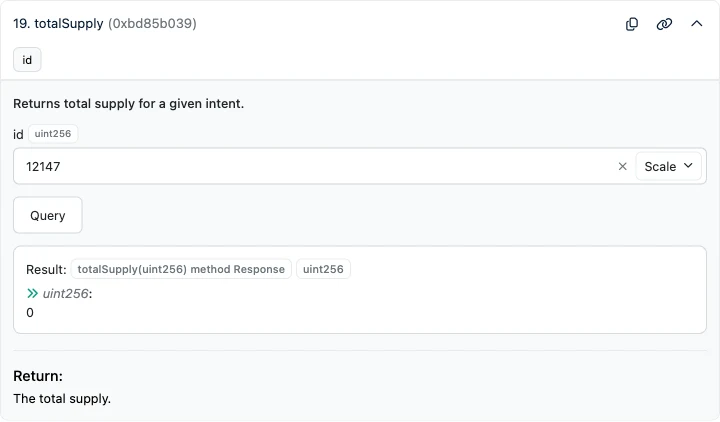
Section titled “Check the Remaining Cap”totalSupply returns how many shares have already been deposited into the intent:
Open totalSupply (#19) on the Facility's Read as Proxy tab, fill in the fields below and click Query.
| id (uint256) | <intent-id> |
|---|
| To | 0x4e013ca8fF612a58F53C822904cDD0eC538a4A4F |
|---|---|
| Data | Fill in the intent ID above |
Read-only: send it as an eth_call, nothing is signed.
cast call 0x4e013ca8fF612a58F53C822904cDD0eC538a4A4F \
  "totalSupply(uint256)(uint256)" <intent-id> \
  --rpc-url "$ETH_RPC_URL"
The most you can redeem through this intent is depositCap − totalSupply, both in 18-decimal share units.
3. Approve the Position Manager Shares
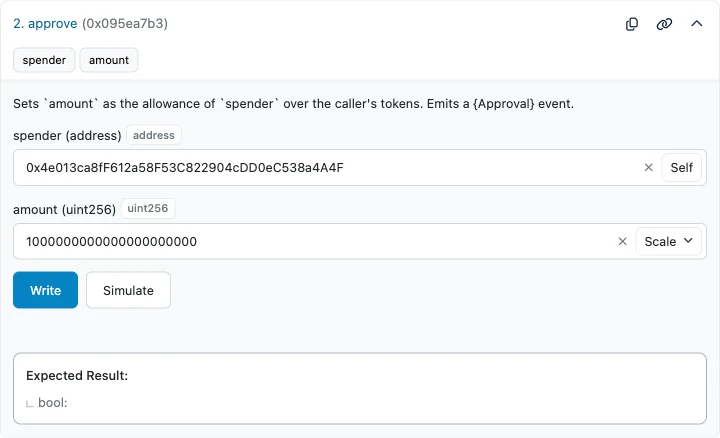
Section titled “3. Approve the Position Manager Shares”Position Manager shares are an ERC-20 token, so the approval is made on the Position Manager itself, with the Facility as spender:
Open approve (#2) on the Position Manager's Write as Proxy tab, fill in the fields below and click Write.
| spender (address) | 0x4e013ca8fF612a58F53C822904cDD0eC538a4A4F |
|---|---|
| amount (uint256) | <amount> |
| To | <position-manager> |
|---|---|
| Value | 0 |
| Data | Fill in the Position Manager and the amount above |
Send from your address with 0 ETH — e.g. as a custom transaction in Safe's Transaction Builder, or a contract call in Fireblocks or Fordefi.
cast send <position-manager> \
  "approve(address,uint256)" \
  0x4e013ca8fF612a58F53C822904cDD0eC538a4A4F <amount> \
  --rpc-url "$ETH_RPC_URL" --interactive
4. Deposit Your Shares
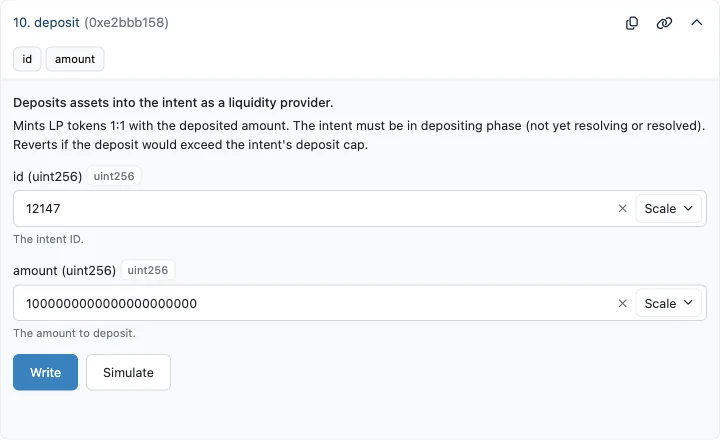
Section titled “4. Deposit Your Shares”Call deposit on the Facility with the redemption intent ID and the number of shares you approved:
Open deposit (#10) on the Facility's Write as Proxy tab, fill in the fields below and click Write.
| id (uint256) | <intent-id> |
|---|---|
| amount (uint256) | <amount> |
| To | 0x4e013ca8fF612a58F53C822904cDD0eC538a4A4F |
|---|---|
| Value | 0 |
| Data | Fill in the intent ID and the amount above |
Send from your address with 0 ETH — e.g. as a custom transaction in Safe's Transaction Builder, or a contract call in Fireblocks or Fordefi.
cast send 0x4e013ca8fF612a58F53C822904cDD0eC538a4A4F \
  "deposit(uint256,uint256)" \
  <intent-id> <amount> \
  --rpc-url "$ETH_RPC_URL" --interactive
The Facility pulls your shares and mints you the same amount of LP tokens for that intent. Simulating first catches a missing approval, an exceeded cap or a closed deposit window before you send.
5. Wait for the Intent to Resolve
Section titled “5. Wait for the Intent to Resolve”After deposits close, the facilitator unwinds the position: it takes a bridge loan to repay the Position Manager’s debt, withdraws the freed collateral, redeems it with the fund and repays the bridge loan from the proceeds (see the withdrawal flow). The fund’s redemption schedule sets the pace — expect anywhere from days to weeks depending on the asset.
Until deposits close, withdraw gives you your shares back 1:1:
Open withdraw (#36) on the Facility's Write as Proxy tab, fill in the fields below and click Write.
| id (uint256) | <intent-id> |
|---|---|
| from (address) | <your-address> |
| receiver (address) | <your-address> |
| amount (uint256) | <amount> |
| To | 0x4e013ca8fF612a58F53C822904cDD0eC538a4A4F |
|---|---|
| Value | 0 |
| Data | Fill in the intent ID, your address and the amount above |
Send from your address with 0 ETH — e.g. as a custom transaction in Safe's Transaction Builder, or a contract call in Fireblocks or Fordefi.
cast send 0x4e013ca8fF612a58F53C822904cDD0eC538a4A4F \
  "withdraw(uint256,address,address,uint256)" \
  <intent-id> <your-address> <your-address> <amount> \
  --rpc-url "$ETH_RPC_URL" --interactive
The intent is ready to claim when getIntent shows resolved: true.
6. Claim Your USDC
Section titled “6. Claim Your USDC”A claim pays out your pro-rata share of everything the intent holds: mostly USDC — the proceeds of the unwound position net of the bridge loan’s cost — plus any Position Manager shares that were not unwound. To see exactly which tokens and amounts the intent holds:
Open intentBalances (#10) on the Facility's Read as Proxy tab, fill in the fields below and click Query.
| id (uint256) | <intent-id> |
|---|
| To | 0x4e013ca8fF612a58F53C822904cDD0eC538a4A4F |
|---|---|
| Data | Fill in the intent ID above |
Read-only: send it as an eth_call, nothing is signed.
cast call 0x4e013ca8fF612a58F53C822904cDD0eC538a4A4F \
  "intentBalances(uint256)(address[],uint256[])" <intent-id> \
  --rpc-url "$ETH_RPC_URL"
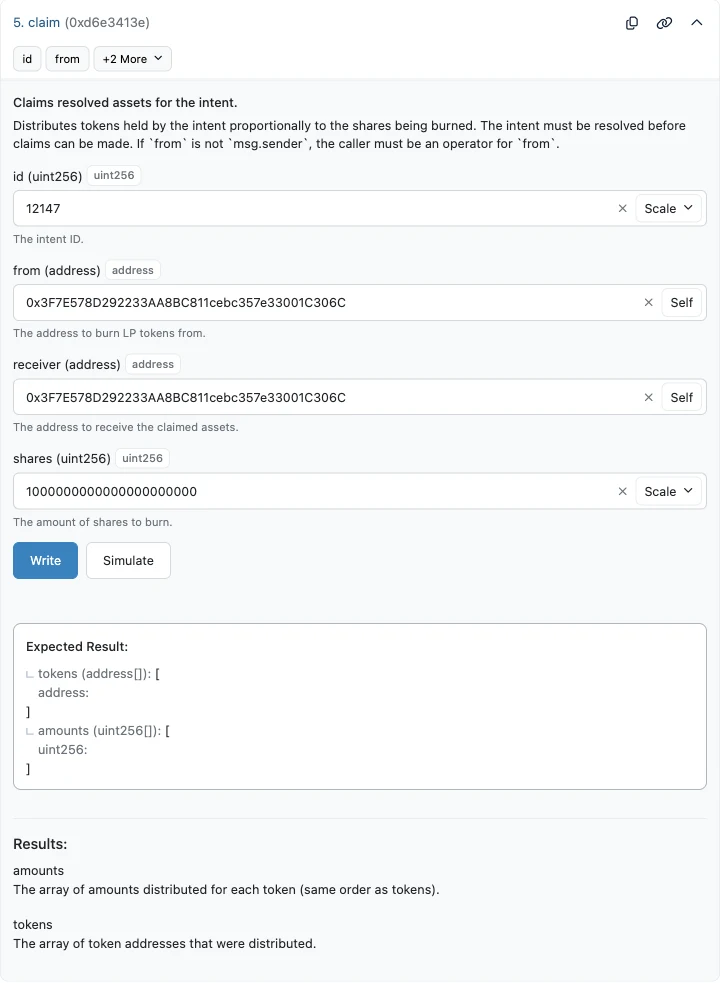
Then call claim with your address as both from and receiver, and the number of LP tokens to burn as shares — the total number of Position Manager shares you deposited, still in 18-decimal units:
Open claim (#5) on the Facility's Write as Proxy tab, fill in the fields below and click Write.
| id (uint256) | <intent-id> |
|---|---|
| from (address) | <your-address> |
| receiver (address) | <your-address> |
| shares (uint256) | <amount> |
| To | 0x4e013ca8fF612a58F53C822904cDD0eC538a4A4F |
|---|---|
| Value | 0 |
| Data | Fill in the intent ID, your address and the amount above |
Send from your address with 0 ETH — e.g. as a custom transaction in Safe's Transaction Builder, or a contract call in Fireblocks or Fordefi.
cast send 0x4e013ca8fF612a58F53C822904cDD0eC538a4A4F \
  "claim(uint256,address,address,uint256)" \
  <intent-id> <your-address> <your-address> <amount> \
  --rpc-url "$ETH_RPC_URL" --interactive